
Out of Control II: Control Peripheral Design
by gamer_152

Last week, I talked about controllers and control schemes, and how the design of both determine our experiences in games. We saw that even a single input component has myriad characteristics that affect its feel and potential applications like signalling, bounding, shape, resistance, texture, clickiness, colour, size, and angle. Now, consider that it's normal for modern control peripherals to have sixteen or more of these parts, each of which bears all of those facets. Most keyboards have over 100 input components. And all these pieces can play off each other in countless different combinations.
Now, we're beginning to confront the intimidating complexity of the world of input design. In this blog, we'll look at how controller components come together to create possibilities and limitations. We'll also talk about areas of the controller that don't directly read input. Let's start by returning to an old friend:
Signals
It's essential to remember that controllers don't just define how a player talks to a game. Additionally, they determine the types and range of actions a designer can have the player perform. The actions a user can take are elements inseparable from other aspects of the game design. So, the design of a controller shapes the nature of the games you play with it. The relationship also works the other way. The controller designer must consider what actions they may have to facilitate and build a peripheral around them.
Think about the possibility space of Atari 2600 games. Many of them only let the player move and communicate one other verb. We can say that the 2600's input peripheral, with its joystick and single button, was a perfect fit for such games. Yet, we must also consider that, from the perspective of the game designer, all they could do was provide movement and then an ability like firing or jumping because of the nature of the controller.
In Hades, the 2018 game, we have two attacks, access to three menus, an aim independent of our movement, a dash, spells, summons, and much more. In 2019's Outer Wilds, we get full 3D movement and aiming, a scanner with multiple settings, a probe that can swivel its camera, a language translator, the ability to match the velocity of the planet we're on, and so on. These are typically elaborate modern titles, and it would have been impossible for the 2600 to accommodate them just from an input design perspective. They have too many actions and too few inputs to map those actions to. But seeing it from the other side again, it is through modern controllers like those for the Xbox One and PS4 that developers were empowered to weave such multi-faceted player experiences.
When considering the possibilities of a multi-input interface, we must also take into account that the player does not just use components in isolation to communicate individual actions. They also combine inputs across multiple components. Through doing so, they can express intentions that are distinct from those that the individual components would relay. Else, they can contextualise what they're communicating with other control elements.
For example, in Dangerous Driving, players can use the control stick to steer and the A button to activate "nitro", which increases their speed at the cost of their handling. Let's put this in signalling terms. If, on a frame, the signal from the control stick's X-axis is 0 and the signal from the A button is "pressed", the game infers that the player wants to move directly ahead with the nitro on. If the stick's X value is 0.7191833 and the A button is released, the player wants to turn sharply to the right without nitro activated. If we examined the signals from components in isolation, we might conclude that the driver wishes to swerve right or wants to kick their speed up a gear. Only by considering the interlocking of signals across the controller can we get a full picture of how the player intends to move.
Let's pick up a very different example: When playing Sub-Zero in Mortal Kombat 11, we can enter triangle to make him perform a palm strike. We can also press away from the direction he is facing on the D-Pad to make him back up a little. However, if we enter back and triangle, he performs a third, different action: "Rising Axe". This move damages the opponent and launches them into the air. Assuming Sub-Zero is facing right, we could look at his input signals and their consequences like this:
| Move | Left | Triangle |
|---|---|---|
| Palm Strike | Released | Pressed |
| Move Back | Pressed | Released |
| Rising Axe | Pressed | Pressed |
This act of combining inputs to transmit commands distinct from those either would send is called "chording".[1] It drastically expands the possibility spaces of input peripherals, and MK11 is a testament to that. Sub-Zero doesn't just have the three abilities above; he has over seventy of them, each of which the designers must map to an input. The controller we play the game with could have as few as sixteen input components, but through chording, we can access his complete moveset.
If we look at the fret buttons on the Guitar Hero controller, we can learn something mathematical about how more components open up more possibilities. The guitar houses five standard fret buttons, and so, pressing any one of them at a time, we can only communicate five different input states to the game. If, however, we allow ourselves to depress one to three frets at a time, as the game asks us to, we can produce twenty-three different input combinations. With chording, the range of possible controller states per frame has more than quadrupled.

Assuming that we can use all input components in enough combinations, each button the designer adds to a peripheral opens up more possible controller states than the last. Imagine that the Guitar Hero controller had only two keys. You could only press them in three different combinations. Note that we are not taking all buttons being released to be an input combination here. By adding a third button, you unlock four more input permutations for seven total. Introducing a fourth button (but keeping to the rule of only pressing up to three at a time), we get five more. And a fifth button, eleven more. It's no wonder today's controllers are packed with buttons, sticks and triggers.
| No. of Buttons | No. of new Patterns Introduced | Total Possible Input Patterns |
|---|---|---|
| 1 | N/A | 1 |
| 2 | 2 | 3 |
| 3 | 4 | 7 |
| 4 | 5 | 12 |
| 5 | 11 | 23 |
It may seem like we can find the number of possible signal combinations on an input device by multiplying the number of components together. This is incorrect for a couple of reasons, one of which we'll explore later. The other of which is that we can hold some inputs in multiple positions. We must also remember that context-sensitive inputs expand our input set. Even chorded communication can be subject to context. So, the number of possible controller states is not the same as the number of possible actions in the game overall.
In addition to chording, control devices also allow us to create strings of inputs with distinct meanings: "combos". For example, the "Rush-In" move in Dragon Ball Z: Budokai Tenkaichi 2, which we execute by pressing Square five times and then Cross once. Or there's the Punch-Kick-Punch combo in Bayonetta. Arguably, it's the memorisation required for such actions that means most games don't contain combos. However, it may be possible to think of text strings as common, easy-entry combos facilitated by the breadth of inputs on a keyboard. Certain characters inputted in prescribed orders create semantically unique outputs. I.e. Words and sentences.
Direct Sensory Experience
When I say direct sensory experience, I mean any sensory experience we can undergo by making inputs. What I'm not talking about are outputs like haptic feedback, sound from speakers, or images on a monitor. We might change our inputs based on feedback we receive through those channels, but they're not the topic of this article. The shape, texture, resistance, clickiness, and angle of parts comes together when we use them simultaneously to create combinatory tactile sensations. Simultaneously pressing LT and A on the Series X controller gives us the feeling of "pinching" in a manner that pressing either of those buttons solitarily does not. Using the left and right stick on the DualShock at the same time imparts a freedom as you move your thumbs around independently. That same sense of liberation isn't nearly as strong when you only use one digit to manipulate one stick.
As you steer around those two sticks, you can feel that the rubber texture on your left and right thumb will match. On the other hand, if the game asks you to use the left stick and face buttons simultaneously, you will feel a rubber texture on one digit and hard plastic on the other. Consider also that when wielding a mouse and keyboard, you could end up with the feeling of a light, slightly clicky pair of buttons on your dominant hand but chunkier, potentially more clicky keys under the fingers of your off-hand. As games ask us to employ components with identical or non-identical characteristics between each of our hands or digits, they can create a tactile symmetry or asymmetry.
Having multiple and varied components on a controller increases the breadth of signal combinations a player can send to a game. Similarly, when a controller has elements with plenty of different sizes, resistances, textures, and so on, the device can project a rainbow of direct sensory experiences. Having a wide set of varied inputs can also create an aesthetic depth and richness across the controller. Plus, the set of sensory phenomena delivered by a controller gives it an overall character.
Of course, the sensory experience we have with a control device is not just created by input components. It's also defined by the controller casing and how the components are installed in that casing. Like individual input vectors, a peripheral's chassis can have many different textures, and note their optical element. Most input devices aim for a pleasing visual symmetry, and the large majority of modern ones garb themselves in unassuming, formal colours. That no-nonsense front can lull us into thinking that peripherals generally lack visual personality. However, place some of the more muted and utilitarian input devices alongside alternative designs, and you can see that all input hardware has character. Even looking like a Blu-Ray player or a piece of office equipment is a character.
The controller can't be any shape; it has to accommodate peoples' hands, but different companies have had different takes on what to put in those hands at different times. The Gameboy Color and Panic Playdate use modest button sets and colourful housings to ape the appearance of toys. They suggest vibrant play suitable for all ages. The Xbox's "Duke" and the Dreamcast controller are rounded and lack long handles. They have a blown-out central section, which is what makes them look bulky, like you could drop them from the tenth floor of a skyscraper and see them survive.
But then check out the Wii remote: a single baton of glossy white plastic. It resembles a TV handset, appears futuristic, and looks and feels light. Where the Duke is weighty in your hands: a brick of power, the Wiimote feels effortless to pick up and play with. It suggests familiarity and ease of use to provide a welcoming entry for those inexperienced in the medium. Nintendo would later carry that idea of imitating an everyday object forward to the Wii U and Switch, which look like the tablet PCs a casual audience might already be comfortable with. Generally, I've found audiences prefer some heft behind any control device they have to hold. Nintendo arguably admitted this by lending the successor to the Wii controller a more substantial weight. Even computer mice, which must be light enough to glide across a pad, usually push back against your fingers a little.
You might note a couple of interesting patterns that become apparent when we break down the characteristics of whole input devices. Firstly, we can include handheld consoles as input devices. This isn't always how players perceive it, but the idea behind a handheld is that the console is also the controller. Secondly, a basic principle from wider design shines through: the appearance of an object and the sensory feedback it imparts give us a clue as to its purpose. E.g. Grips protruding from your controller suggest that a user should hold it and how they should do so.
To explain the formality of input hardware, we can observe that it, like any media hardware (streaming boxes, TVs, etc.) is used in conjunction with pieces of media. So, there's a risk that if creators make their control device look bright and bold, and tailor it to a specific aesthetic, it may not match with the game the player is playing at any one time. After all, one platform hosts a diverse library of games. Nintendo got away with their vivid colour schemes for a long time because their consoles were most strongly associated with playful, leisurely games. Most companies did not have as cohesive an identity. We must also understand that all games hardware exists within physical spaces that bear their own decor and contain other objects. A colourful input device can clash with its surroundings. Producing inconspicuous peripherals in unassertive colours (black, white, or grey) prevents their visuals from being dissonant with the room they're stored in or the games we play on them.

There are exceptions to the modern rule of abstract visual design: you'll find most of them in limited edition consoles and specialist controllers like fight sticks. But these aren't the default: they are for players dedicated to a certain style who make a deliberate opt-in to these controllers when there are alternatives. Arcade cabinets can also feature eye-catching graphics that don't blend into surroundings, but again, this is hobbyist or commercial hardware, and it's very rare that one of these machines pops up in a person's house. Many fight sticks and rhythm game controllers, and all cabinets also match the game the user plays with them for obvious reasons.
Convenient Access to Abilities
Of course, the appearance of input components both individually and collectively aids us in interacting with them on a practical level. The human mind tends to group objects together by predictable heuristics, and the designers of input devices exploit that. The input elements on peripherals often belong to a class, e.g. Mouse buttons, keys, bumpers, face buttons, etc. There are two means through which peripheral designers have us classify those components into their classes.
Firstly, we often perceive inputs as being of the same type if they look like each other. Components in a group are usually the same shape. Else, they are the other shapes in the group rotated or mirrored. All the face buttons on the NeoGeo gamepad are circles, and on the Stadia controller, the R2 is just R1 but flipped vertically. Associated components also often bear comparable symbols and names. Every face button may have a single letter on it, e.g. A, B, X, or Y. All the shoulder buttons might have names that consist of a letter followed by a number, e.g. L1 or R2.
Secondly, we are more likely to group objects together if they hang out in close proximity. The triggers on your controller are probably placed at the same height, and both live on the back of the gamepad. Your face buttons likely exist in a cluster of two to six. You can find exceptions like control sticks inhabiting distant areas of the same surface. However, they have a highly distinctive shape and texture, reducing the need to group them any other way.
Groupings become more important as your controller gets more complex. For a player, holding sixteen different buttons in their mind at once can be a headache, especially when you consider all the relevant input combinations they could make with them. However, when some buttons share similarities with others, they can sort them into types, and the device becomes more manageable.
Once you have those discernible classes of input, designers can make the controls more intuitive by assigning different kinds of actions to different classes of inputs. For example, the original Guild Wars binds all its skills to number keys. Ratchet & Clank: Rift Apart uses the upper shoulder buttons to control advanced movement options and the lower shoulder buttons for firing guns. Arguably, keyboards are weaker at communicating input groupings than many other controllers because their inputs are mostly the same shape and colour, and set at the same angle towards the user.
Whether a component is on the left or right side of the peripheral can also serve as a reminder for its name and sometimes its purpose. Many buttons starting with L live on the left side of the device, and buttons starting with R on the right. The game itself may then help us adapt to its controls by lining up certain in-game spatial actions with the spacing of those components on the control device. In Elder Scrolls V: Skyrim, the player presses LT to use the item in their left hand and RT for the object in their right hand. In Ace Combat 3: Electrosphere, the player uses L2 and R2 to spin their plane left and right around the Y-axis.
For the player to have the best chance at picking out inputs and discerning their functions, they need them to stand out on the controller. Manufacturers often ensure their components pop by making them a different colour and texture than the device's casing. Remember, the player is often going to be looking at the screen instead of their hands, so they need to be able to feel their way around the peripheral. Many keyboards have chunky 3D keys that lift well off of their base, and controllers often have distinctly coloured buttons that are smoother than the surrounding plastic.
Despite the consensus that has gradually evolved in controller design, an old issue that still divides console creators is whether components of the same type should be the same colour. This usually applies to face buttons only, probably because the player couldn't visually identify buttons on the rear of the controller, so their colouration doesn't matter. A player also has directional clues through which to distinguish D-Pad buttons or left/right-centric controls, so their pigment is less important.
On all versions of the NES, the controller's two face buttons were both red. However, the four face buttons on the Super Famicom controller each had their own colour. This made it much easier to set the buttons apart in your head; they were not just abstract letters but the blue input, the green input, etc. Yet, when Nintendo adapted the Super Famicom into North America's SNES, they abandoned the Japanese colour scheme. The North American SNES controller simply uses one colour for the top row of face buttons and another for the bottom. Nintendo figured that if a player is usually staring at the screen instead of the controller, the button colours shouldn't matter.[2] Yet, they reneged on that idea for the N64 and Gamecube, which again used coloured face buttons, and then changed their mind once more for the Wii onwards.
Microsoft has always presented the face buttons on their Xbox controllers in bright colours. Sony had long split the difference, using a formal background tone for their face buttons, with a coloured symbol superimposed on them. However, they changed their mind for the PS5 DualSense controllers, all of which have grey symbols adorning the face buttons. While I understand the aesthetic concerns of console manufacturers, I think distinctly coloured face buttons are easier to learn. The Wii controller and many of Sony's more recent pads also innovatively deploy colour. They use tinted lights to signal which input device belongs to which player (player one, player two, etc.).

Of course, recognising the inputs and being able to play them off of each other doesn't matter if those inputs aren't manually accessible. It might be tempting to say that we can work out how many input combinations there are on a controller by adding up how many different states the controller can exist in. However, a player probably won't be able to manipulate all inputs at the same time, and so, won't be able to trigger every theoretical input state. In other cases, it would be uncomfortable or redundant for them to use certain input combinations. E.g. They probably can't press all the buttons at once because they only have ten digits. Or, it would be awkward and pointless for them to press the control stick downwards and press down on the D-Pad if both are used for navigation.
The designer can rarely utilise all of the players' digits. In the cases of mice, gamepads, and many other controllers, the player needs their fingers or thumbs to hold onto the input tool. Even if you can use all your digits for input, coordinating ten at the same time is tough for most. However, about six digits is doable. The hardware designer should make it so that any digits the player is not using to grip the control device sit comfortably on an input component. This will allow the player to utilise more input options in the immediate, optimising the peripheral for tests of hand-eye coordination and potentially increasing the depth and richness of the controls.
To see the importance of correctly assigning fingers to buttons, compare the early controller designs from Nintendo and Sega. The pads for both Nintendo's NES and Sega's Master System consisted of a directional cross and two face buttons. There were also the Start and Select buttons, but these generally weren't used in active play, so we're not going to worry about them. We know that just a D-Pad and two buttons don't allow for a lot of simultaneous inputs. Therefore, the player is limited in what they can express to the NES or Master System.
It was clear to Sega and Nintendo that if they wanted more complex, textured games, they needed to add more buttons. Both the successor to the NES's controller and the descendent of the Master System's would feature four more buttons than their parents. But the two console manufacturers had very different plans for laying out those elements. The initial Mega Drive controller added one more button, and the later revision, three more than that. But for the SNES, Nintendo added two new face buttons and two bumpers.
So, with the SNES controller, the player can engage four digits simultaneously. They can keep one thumb on a face button, one thumb on a D-Pad section, and their two index fingers on the shoulder buttons. This allows them to activate any of those inputs within a few hundred milliseconds. Despite the Mega Drive eventually getting the same number of inputs for the player to utilise, its geography means that they can still only keep their digits on two at a time: one of the face buttons and one of the D-Pad directions. The user's index fingers are still wasted contact points.
For other examples of full utilisation of the fingers: Some mice have a button on the side on which you can rest a single digit, and some games let you map that button to a function. On the standard Xbox One gamepad, the player's middle and ring fingers only grip the controller. However, the player can modify the Xbox One Pro Controller to add four paddles to the back. They can press these switches with their middle and ring fingers. Adding four more digits to the operation of the controller might be overwhelming for most, but this is a device aimed at advanced operators.
You may have also noticed that on the SNES, whatever face button you have your right thumb on, any other face button you have to switch it to is only a short hop away. Whereas, on the Mega Drive, you might have to travel the distance of two buttons to get from the button you're resting on to the one you need. For a different example of travel times, compare the N64 controller to the PS1 Dual Analog. On the Dual Analog, the player can reach all elements of the controller while holding both paddles. On the N64, the player must uncomfortably shift their hand between a centre paddle and left paddle based on whether they need the D-Pad or control stick. Many modern games, which utilise the D-Pad and control stick in quick succession, would be impossible to play with this scheme.
Generally speaking, people designing controls or controllers should make it so that the player doesn't have to reposition their hands any more than is necessary. They want as many input elements in reach of the player as possible at one time. We can even use these lenses of finger placement and travel time to analyse the mouse and keyboard. Many mice only have two buttons on them, so the game must assign most actions to the keyboard, which causes the player to move their non-dominant hand further to reach the target keys. Whereas, the gamepad more equally distributes input methods between the left and right hand. Current controllers must strain harder to make their input components accessible because they have more of them than older controllers did.
We've mostly discussed keeping the inputs accessible from the perspective of the controller designer, but we can also look at it through the eyes of the game developer. Suppose the developer wants the player to be able to use two actions in conjunction with each other easily. In that case, they should affix those actions to inputs the player can comfortably press simultaneously. It's generally most manageable for players to use inputs in combination when they're controlling them with different digits. Sometimes the player can use the same digit to press multiple buttons, but not if those buttons are too far apart. It's also a bad idea if, by entering the desired button combination, the player risks accidentally triggering another. Using this logic, we can explain why it's common to see games ask for an input combination like R1 and A or left stick and right stick, but not X and B or D-Pad and left stick.
It's also standard that designers put the buttons players will need immediately closer to where their hands usually fall, and buttons they'll need less often, further away. In PS1 fighter Bushido Blade, all the attacks are mapped to one of the face buttons, while the "surrender" option is assigned to the Select key. The player may need to choose any one attack within a split second, so the buttons to do so are all placed close to where they rest their right thumb. However, it's unlikely that you'll want to slot a surrender in any particular window of a few hundred milliseconds, so the designers place that action on a button that's far away from the default resting point of any of your digits.
In the rhythm game, Thumper, we get razor-thin margins in which we must react to prompts. Its designers allow us to perform all actions through the left stick and a face button. Because the developers don't use a scheme where we must move our digits to other inputs, they don't have to account for that travel time in the play. It becomes reasonable for them to demand we relate the correct signals in a split-second. Thumper's controls are a prime example of how inputs are not just an interface to access systems; they go right to the heart of shaping a game's systems, defining an aspect as fundamental as pacing.

In PC strategy games such as Anno 2205 or Galactic Civilizations II, the challenge is in bending complex systems to your whim rather than speedy reaction times. Therefore, these titles can and do place inputs all over the keyboard. With so many communication options on one device, you may have to move your hand the video game equivalent of miles to get to the key you want. However, that's not a liability when the game doesn't ask for the quick reflexes that action gauntlets like Bushido Blade and Thumper do.
Health
Making a device match the shape and movements of a player's hands is not just a way to increase comfort and the accessibility of input components; it can also help reduce muscle and nerve strain. Ergonomic keyboards proliferated in office spaces as their users would be inputting signals quickly for long periods. Gamers also use keyboards in lengthy sessions, and many retain a high actions per minute (APM) rate as they do so. Despite this, most gamer keyboards are not ergonomic. This could be because there are better alternatives to take care of your hands, because gamers elevate aesthetics and in-game success above health, or because of a combination of these factors.
Challenge
I say that, generally, designers want to keep inputs in reach because sometimes, they want the inaccessibility of components to be a barrier the player overcomes. In Dance Dance Revolution, it's not difficult to hit any one of the arrows; the challenge is that you have four buttons but only two feet. Heavy Rain contains scenes in which we must hold down many different inputs at once, contorting our hands into awkward spidery messes. Fighting and hack-and-slash games often have us quickly hit buttons simultaneously or artfully enter combos as a means of challenge.
Truthfully, while "combos" are typically only found in one or two genres of games, all video games have us enter specific sequences of inputs. It's just that in a "combo", multiple inputs are required to perform one action. Whereas, in other circumstances, multiple inputs result in multiple actions. To return to a point from the last article, these fundamental input challenges can be divisive. If the player feels like the basics of operating a character are difficult, they may feel a jarring disconnect between their intentions and their avatar's actions. The illusion that they're occupying the avatar's body could be broken.
With that knowledge, we can explain why most control peripherals make most inputs easy to hit, while you have to look as far as objects like dedicated rhythm game controllers to see design that makes components generally hard to reach. Still, moving between controller components is almost always part of the challenge of video games, and the existence of games like Heavy Rain and input electronics like DDR mats are proof of an audience for a gaming difficulty situated close to the controller.
Simulation
As was the case when discussing individual design components, it seems impossible to talk about how games use control schemes to challenge us without talking about how they also use them to simulate physical activities. The schema through which DDR creates difficulty is not arbitrary; it wants to evoke the high bar of coordination that dancing requires. In Heavy Rain, the manual challenges are designed not just for their own sake, but to put you in the shoes of someone, say, squeezing through a vent. We could even say that Heavy Rain's tasks attempt a psychological simulation, having the player feel the sense of struggle and discomfort that the protagonist does.
Games typically attempt to theme their challenges around recognisable activities. Doing so makes their tasks feel more purposeful, relatable, or intuitive. So, it's natural that when we talk about a non-abstract game's challenges, we talk about its simulatory aspects and vice-versa. To put it another way, games tend not just to contain challenges and simulations but to simulate challenging activities.
When titles employ the whole controller in challenging simulations, they tend to emphasise that what's difficult about a lot of tasks is their multi-faceted nature. For example, in a typical action-adventure like Enslaved: Odyssey to the West, dodging, delivering a light attack, landing a heavy attack, or taking any other action is not taxing in itself. The game becomes challenging in depicting fighting as a discipline that demands the use of each of these actions at an ordained prompt. So, the simulatory challenge is inherently linked to using many different parts of the controller deliberately and at short notice.
You can see a similar idea at work in Cook, Serve, Delicious. The minigames in this restaurant management title require us to use only one key to perform each prepping or cooking action. They might ask us to hit the Down Arrow to pour a beer or press R to add ranch dressing to a salad. Alone, these are simple tasks. However, by demanding high-speed input and fast response, the game can simulate part of what's difficult about working in foodservice. It's not usually that any one job you need to do is arduous; it's that you have to perform those tasks with superhuman speed and keep up that pace for extended periods.
Some simulatory synchronicity is down to an agreement between where inputs are situated on the controller and the movement those inputs trigger in the game. This could be as simple as the cardinal directions on a D-Pad lining up with the direction each moves an avatar in the program. That alignment results in the illusion that you are the avatar. You can find an equivalent in how peeking around corners works in many tactical shooters, such as Tom Clancy's Rainbow Six Siege. The standard implementation on the PC is that you lean to the left using Q and to the right using E, so there's concordance between where you're moving your hand on the keyboard and where your character moves in response.
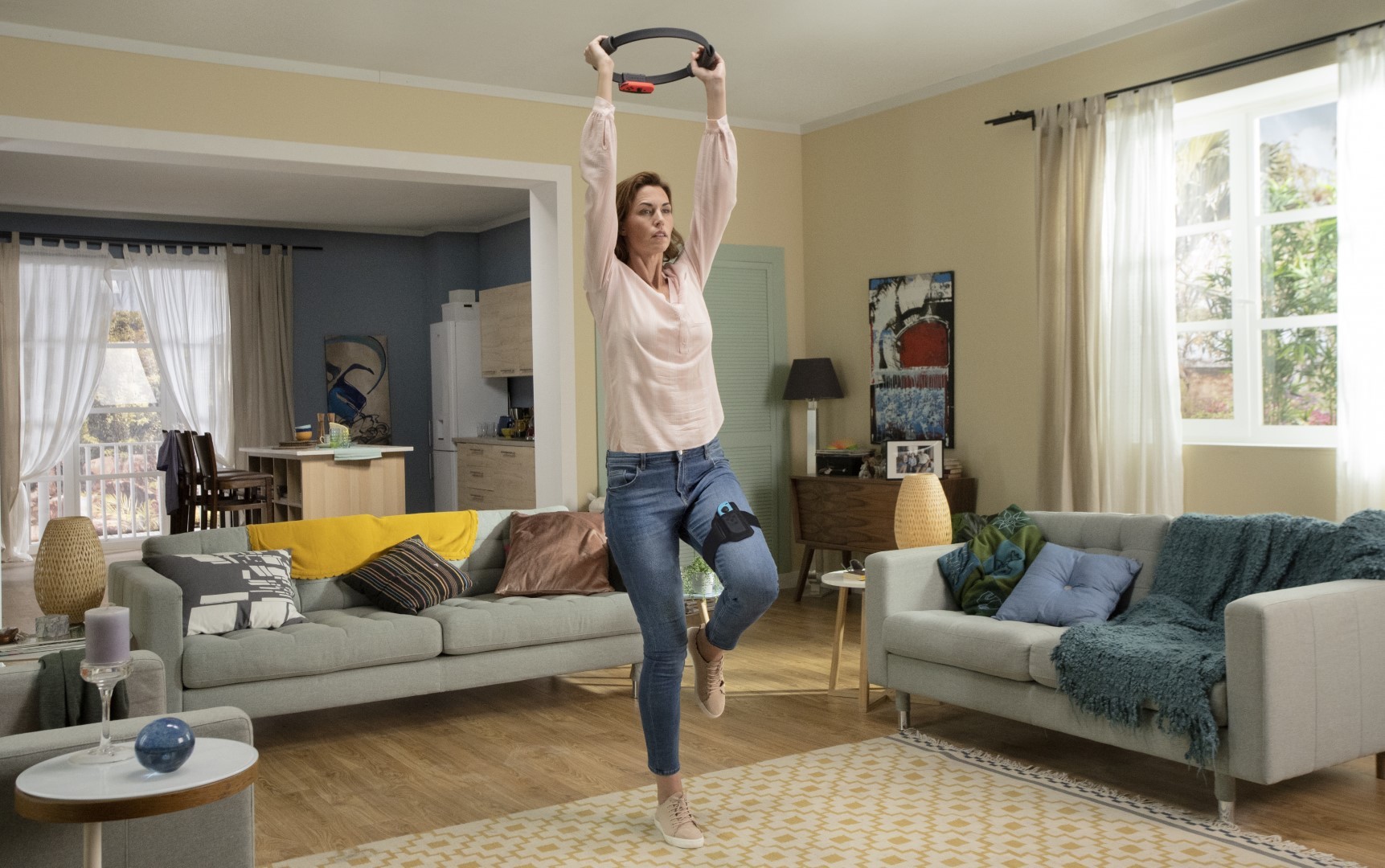
There is another form of controller simulation that you'll understand without explanation, and that's controllers made to directly mimic the objects you're controlling or whose use leads you to physically imitate the activities you're performing in a game. For example, when you control the Ring Fit Adventure ring, you really perform physical exercises. The motorcycle in the Hang-On arcade cabinet controls a virtual bike.
Common Practices
Flight sticks and other simulatory controllers deliver good examples of convention not always being a virtue. Sometimes you don't want your control peripheral to follow common practices because your device does not serve a common function. Think of the Nintendo DS. By incorporating a touch screen into their device, Nintendo managed to open up a range of manual experiences on their console that never could have existed otherwise. It's why, even with a PC emulator, you can't experience games like Kirby: Canvas Curse or Elite Beat Agents as you did on the company's handheld. Nonetheless, the development of an agreed-upon set of controls for most video games was an essential step in the evolution of the medium and its hardware. If you look back at the games consoles released from the 70s to the early 80s, there was a lack of consensus on the form a controller should take.
The Atari 2600 had its iconic one-stick, one-button pad, and the Magnavox Odyssey 2 had the same, but the Odyssey 2 also included a full keyboard built into the console itself. The original Odyssey controller was completely alien from either: a box with a few knobs placed down the sides. The Fairchild Channel F and Bally Astrocade used handles with a joystick at the top, but the Astrocade's joystick could also rotate, and its handle included a trigger. The Intellivision, ColecoVision, and Atari 5200 controllers combined a number pad and a directional input. The Vectrex's went in a whole other direction, boasting a tiny joystick and a few face buttons.
I'm not going to tell you that this diversity represents an inferior era in controller design. This generation of input hardware was colourful, and its manufacturers open-minded about what a games console could be. However, the inconsistency of these controllers levied a couple of hefty costs on players and developers alike.
Firstly, it made it somewhere from complicated to non-viable to have cross-platform games. It should be obvious by this point that the input peripheral you use to play a game defines a lot of what that game can be. And with the peripherals for these ancient consoles having such disparate capabilities, the games themselves became trapped on their original hardware. Therefore, if you wanted to experience the full range of games and control formats possible, you needed to buy at least five of these consoles, and that's without considering the internal hardware that might set them apart.
Secondly, with about five different forms of control scheme floating around in the console space, video games as a whole were far more inscrutable. We take it for granted now that if you can play a game with one controller, you can play it on almost any other platform, but that wasn't the case in the early 80s. You needed to adapt to all these different controller setups, and for a casual player especially, that's no simple feat.
So, starting in the NES and Master System generation, you begin to see a consistent controller pattern emerge. You got a gamepad held horizontally with both hands with directional controls on the left side and face buttons on the right. This design template was so powerful that gaming would never look back. Over time, pads accumulated the set of inputs we now expect: four shoulder buttons, four main face buttons, two menu buttons, and two choices of directional input. Controller design today is far more standardised. If you can play the PlayStation, you can play the Xbox, the Steam controller, the Switch, or if you're really nasty, the Ouya. Players can transfer input knowledge freely between them, and studios that make games for one of these platforms can typically port them to others without worrying about disagreements in input.
Range
Now that we have a handle on every aspect that can define an input component or device, we can make another observation. An instrumental development in input design was console manufacturers guaranteeing that designers always have a wide bin of parts available on the controller. We touched a little on this in the input signals section, but a component does not just transmit a signal. It has simulatory capacities, a tactile feel, a shape, a colour, and so on. The manufacturers don't try to guess too much what a designer will need. They fit their controller with parts that display a lot of different characteristics and trust the developer knows what's best for their title. A higher range of available inputs results in a greater variety of games supported.
The effect of evolving input hardware on games was comparable to the impact of advancing graphics hardware. The capability of computers to render higher resolution graphics and feature more objects on screen did not directly force any developer to make games with a more realistic style or higher detail. However, that is the general direction the industry took in response. So, when more complex controllers came along, developers looked to push them to their limits. Many studios, especially mid-to-AAA outfits, want to make use of every tool in the box, and so, when you change the toolbox, you change the nature of games in turn.
More player actions do not necessarily mean better games. Plus, as the number of inputs on a controller increases, some designers may feel that they have to fill them all instead of looking to create surprisingly deep interactions with minimal inputs. However, it is also true that when you limit the number of inputs on your controller, you limit the kinds of games that creators can smith. The minimalist designer can choose to use only a few buttons on a complex controller, but the maximalist designer can't choose to use many buttons on a minimalist controller.
The importance of having a wide tent of input types can explain why phone games aren't known for richness in their surface-level interactions. That is, a mobile game may have depth because the systems or narrative meaningfully contextualise the action you're performing. However, it's rarer to feel that there's much texture in the inputs and the physical relationship you have with the game. If you look at the phone from a game designer's perspective, there are four input components: the microphone, the camera, the accelerometer, and the touch screen.
Now, the capabilities of the camera and microphone to enhance games may be under-explored, but there are all sorts of factors that compromise their viability as input devices. The accuracy of these input components is often below what's necessary for precision gameplay. People play mobile games in loud environments that mess with microphones, and cameras are notorious power hogs on a platform with limited battery. Accelerometers can be precise, but if you move the phone, you also move the screen, which can compromise the visibility of the game or the player's grip on the device. So, mobile game designers are typically boxed into making the touch screen the only input component, which leaves phones neither flexible nor particularly deep as controllers. There's no room for shoulder buttons, and while some phone games draw control sticks or face buttons on the screen, without bounding, varied textures, or pushback against the digits, the phone cannot replicate the feedback and feel of these controller elements.

With only one input method on the device, you have a restricted range of ideas you can communicate to it and a small set of tactile experiences it can lend you. If those tactile experiences are how games conjure aesthetics and simulate interacting with objects and characters, then the phone's design limits what aesthetics, objects, and characters its games can vividly recreate. It's a reason why so many critically acclaimed mobile games are mechanically austere; they pair themselves back to only the interactions for which the touch screen is optimised.
We could even turn this critical spear against the mouse and keyboard setup. Standard controllers today have at least six different types of input components on them. But the mouse and keyboard have only three: the keyboard keys, the mouse buttons, and the movement of the mouse itself. The keys and mouse buttons are also both forms of standard button, and the control setup lacks any bumpers or triggers, which have become essential to plenty of modern games. This is not to say the mouse and keyboard are strictly worse than the gamepad; as we've discussed, mice and keyboards can do a lot that gamepads can't, but range is not the basic PC setup's forte.
Disabilities
The designs of individual input components and whole control devices make various assumptions about users. Most assume that players have five digits, with three phalanges on the fingers and two on the thumbs. They assume that everyone has roughly the same range and speed of motion when it comes to moving their anatomy between different regions of the controller. They also presume the rate at which individuals can read information from the peripheral and even what they can read. But the differences between human brains, motor systems, and sensory perceptions mean that those assumptions are out of step with the realities of many players.
The rules for controllers and inputs I've described in these past two articles apply to most people playing games, but far from all. Because bodies are diverse and tactile experiences are subjective, most statements about devices that interface with bodies and produce tactile experiences are not universal, just general. You may know that Microsoft built a controller for players with atypical bodies. Notice how the company included input components that require much less manual precision to output the same signals. The device also allows users to extensively customise the input receivers, acknowledging the physiological differences between users. "Accessibility" is often perceived as a software-side issue, and even then, one to do with only a handful of software functions like subtitles or colour blind modes. Hardware is all too often left out of the accessibility conversation.
_____
And so, we come to the end. Some of the lessons here might sound basic, but when analysing and making games, half the fight is having the principles stored away somewhere in your head, and the other half is in being conscious of them when you meet the games. It's only through understanding design concepts abstracted from any one implementation that we can not just copy games or talk about them in terms of specific examples, but imagine new creations and discuss the medium as a medium. Thanks for reading.
Sources
- Swink S. (2009). Game Feel: A Game Designer's Guide to Virtual Sensation. CRC Press (p. 133).
- Nintendo Power Staff (1991). Nintendo Power: Volume 25. Nintendo of America, Inc. (p. 46).
All other sources are linked at relevant points in the article.